Posts

Showing posts with the label Fantastic Voyage

Fantastic Voyage: How We Got Here Art Of

Reflective Statement

Fantastic Voyage: Reflective Statement

Compared to the other projects I can defiantly say this is the one I struggled with the most and the one I think I have also grown more from as well. I think a lot of my problems started after the Pitch, when I had to try and re start my story, while also trying to keep up with the rest of the class and the deadline, this was also a problem as with most of my other projects I feel I didn't fully grasp the full amount of work I had to do, until I was too deep into it, which came around the Easter holidays when I had no Animatic and realised that I didn't have time to produce a Pre-Viz if I wanted to get some of the finished product animated and rendered on time. At that point I decided, from my experience from my Script to Screen project that I would run with the workload I felt I could achieve to the highest of my ability, rather than scramble to pull together the full animation which I'm very happy I did because currently I'm still happy with the animation I made and a...

Fantastic Voyage: How We Got Here Animation

Fantastic Voyage: Scene 01 Playblast Edit

Image
This is a draft edit of the animation sequences I have done so far, I decided to stick more to the storyboard template to connect the sequences together but I have had to make some changes to the animation in order to make the switch out between the two models appear more natural, the turn around switch near the end I have done I think I might change as the edit isn't as smooth as I would of have liked and I think looks out of place in the sequence. I'm aiming to get some feedback and edit this to make it better for Friday rather than trying to get all my scenes rendered by the end of the week so I'm hoping to get at least 1:30 rendered and the rest playblasted scenes that I can edit later. Any feedback on how to improve this is appreciated swell.

Fantastic Voyage: Animation Progress and Lip Syncing

Image
Started on some of my scenes including one with my Finches and using the voice actor audio of my script as a guide I have started lip syncing the character to the audio. I'm still working out the transitions between the other models, and how I'm going to have it flow between them while the models keep talking as well, hopefully I should be able to create a smooth looking scene soon that has at least too of the models switching out within the scene, this switch will also be altered in Premier Pro later on when I have render the scenes to make it look more smooth in the final piece.

Fantastic Voyage: Texturing Finished

Image
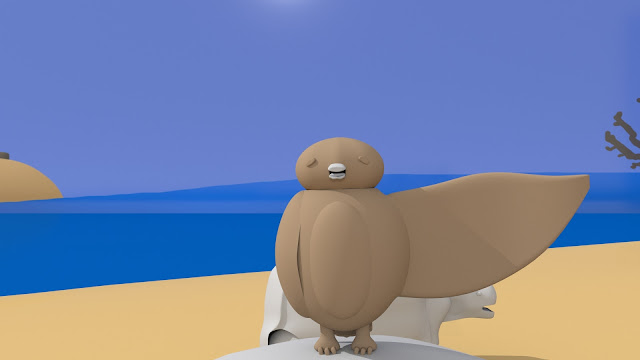
Finished all the texturing for the tortoises, I decided to continue on with the illustrative style I used for the Finches on the tortoises, taking the designs I saw on their shells and putting them in a stylised way so it would suit the lack of shading on them. I also decided to shrink the size of the Finch to suit a more real Finch, so people wouldn't confuse it for another bird because of its size, this will also cause some issues in the animation, as my storyboard had the Finch being bigger, making it easier to do certain things, so I also will be experimenting with shots and angels as I go. 

Fantastic Voyage: Finch Texture Update

Image
Started getting some textures done on all my Finch models, I did this by picking a standard shader and using that as the base to draw details on over the top to accentuate wings on the feathers and bits of the body. Because of this I have decided to not add any shading on my textures as it would separate the ones I did on photoshop to the shader colour and I want the Finches to look as consistent as possible. They do still need some tweaking, especially on the wings, but so far I think it looks good.

Fantastic Voyage: Test Render with Finch and Colour

Image
Managed to re-install the color into the trees and import one my Finch models, I'm happy with how it turned out, however I still think the appearance is too glossy and want to try and tone it down to suit the environment, also the background ocean doesn't match the ocean color so I'm going to do some improvements as well.

Fantastic Voyage: Plain Scene Test Render With Tortoises

Image
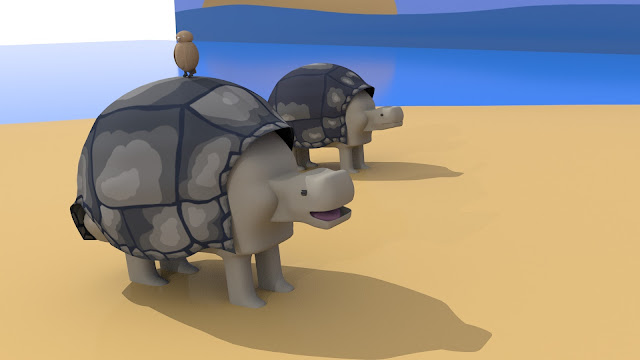
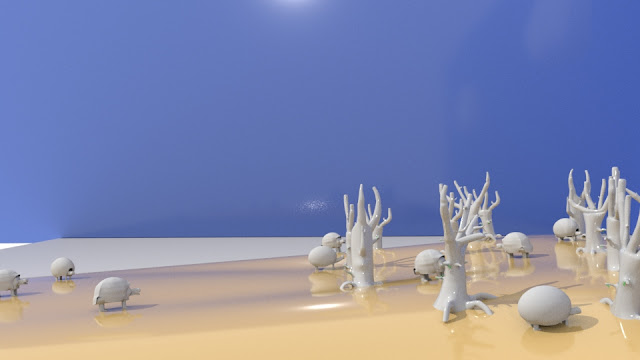
 Some final renders for my scene, I am still struggling to get the textures to appear on my laptop, so I decided to go with a plain render for the bigger models, just to get and idea of size and how they will turn out. I am happy with the layout, but I still think the scene needs some tweaking, which I will be doing as well as applying textures while I wait for my Finch characters audio to come through, so I will be using this time to prepare for the final animation instead and getting to grips with animating within the scene. I have already set up a blend shape on one of the tortoises, which will probably be the only other creature moving in the scene, as the others will serve as filler for the scene to make the island seem more inhabited.  I only have one Saddleback rigged and skinned, and this one will be paired with the Finch as it moves along towards the tree.

Fantastic Voyage: Mouth Movement and Animation Test

Image
Managed to get the mouth and face moving together, ready for the lip synch and animation. The process to do this took a long time and involved using the connection editor and the blend shape, but I did have some problems connecting it to the head and the animation while also still connecting it to the attribute. One issue I did notice is with this last Finch model that I think I caused from cleaning up the joints earlier on I ended up deleting a ball joint and disconnecting the lumbar, neck and shoulder joint but despite this the figures still moves well I think thanks to the weight distribution and binding still keeps it together so I'm going to keep going with it and see if it still works because I need to move on. 

Fantastic Voyage: Finch 03 Skinning Update

Image
Finished basic maintenance for this Finch, I don't think I will be weighing the open armed Finch because of edits to the script, so I will stick with what I have now and settle to get the mouth and eyes moving for the scene, as well as getting some advice on any clean up for the animation, as I have done what I can but some of the lines on the middle of the Finch when it bends will become more noticeable when I render it, so cleaning them up might be my next step and adding on textures.

Fantastic Voyage: Finch Skinning Update

Image
After some tweaking I have managed to start fixing some of the more prominent issues the Finch skinning was having, one was re-distributing weights from the eyes and mouth that were creating the random jumps and glitches in the animation and another was removing weights from the Lumbar joint that was creating the twist in the head, that I was struggling to disjoin. Even though this Animation is short, it's making a different to the problems that I was having before, so will be trying to fix them in the other models later, but finally I think I'm nearly finished with Skinning and now need to start with the Pre-Viz.

Fantastic Voyage: Finch Skinning 02 01 Update

Image
Moved onto one of the Finch models and with the feet as they are the easiest feature to do, so far I'm happy with how it's going and despite the small errors that are still showing in the last video, I think I'm close to getting good movement from this Finch. As for the other models, I realised I don't think I will be able to get the feet moving in the exact way due to time restraints, so I will try and get them instead moving as closely as I can for each one so I don't have to spend as much time on this.

Fantastic Voyage: Tortoise Skinning 02 01

Image
Some progress for the skinning of my Saddleback, I think at this point for the character I'm ready to move on because I'm not planning to show that much of the tortoises legs in the animation, so I need to start animating it to walk and move and place it within the set. I'm getting the hang of this skinning method, although it's taking me longer to finish, but I feel that the animation will turn out a lot better and I feel that I know what I'm doing compared to the second method where I felt I was winging it with the weight distribution.

Fantastic Voyage: Finch 01 Skinning Update 03

Image
After some feedback for my skinning I have decided to start again with it on all my models, using instead the first skinning method as it is more precise with the weight diving than using the brush. So far I have manage to divide up the weight for my tortoise and one of my Finch models, which I plan on finishing beforehand so I can get advice more progressing further with the skinning to make the other three models a lot faster. I like how it has turned out, especially since I have just divided up the weight my the joints it has already erased a lot of the issued I have before such as the tail feathers moving along with the feet on all my Finch models and the middle of my tortoise moving with the legs when I animated them. I still need to divide the weights up more priestly in the component editor, but I think I should be able to get it done a lot faster than before and move on as soon as possible.

Fantastic Voyage: Finch 02 Skinning Update 02

Image
A couple of Playblasts for my Finch Skinning, I think it's slowly coming along but Im still unsure if the skinning is getting better or if I'm making the movements unrealistic for the proportions, so I think I'm going to ask for some guidance before I continue so I don't ruin the skinning and see how far I want to take it.

Fantastic Voyage: Dome Tortoise Animation Stills

Image
Using what I learned from animating my saddle back i decided to try and transfer that over to my Dome tortoise, this one I find a lot more easier and might try and prepare this blend shape beforehand to transfer into the Pre-Viz, as then I can use the Dome tortoise to determine the size of the trees and the rest of the models. Even though this is just a quick Playblast I'm happy with how its turned out, I think I just need to add some animation to the tortoises face to make it more engaging in the final animation.

Fantastic Voyage: Finch 01 Skinning Update

Image
Starting skinning my Finches, again using the human tutorial as much as I can for the model and joints and trying to smooth out the animation as best I can. I'm still finding it easier with version 2 of the skinning methods, but I think I still have way to go with smoothing out the models, and will be trying to do this by animating the Finch in the positions i have laid out in my storyboard so I don't have to worry about those positions turning out warped in the Pre-Viz.

Fantastic Voyage: Tortoise Skinning Attempt 02

Image
After using the second method for Skinning I tried to move onto the interactive bind skin to lay out the weights, unfortunately when I started to weight them out I found that the animation after the interactive bind skin began to mishaps the rig to the model, so rather than continue I think I might just stick to the first of the second rigging method I did and see if that will work, if not I will give it another go and see if I can make it work for me, but for now I think what I have done works best with the animation I will require for my piece.

Fantastic Voyage: Tortoise Eating a Leaf Animation

Image
a Started Animating the neck of my saddle back to see how I would have to animate and edit it to make the scenes work together. To achieve this I made blend shapes for the neck and made a new one for each movement, so one for the extension, so for the mouth opening and one for the neck pulling back.   The videos above show the different playblasts I had to take for the reaching up and for grabbing the leaf, with the top one being the edited video I complete in Premier Pro.  Because I needed the tortoise to grab and move the leaf I decided to make two separate models and divide up the actions, making the pause between the grabbing of the leaf the editing point to join the two actions together. I did find this hard at first, especially choreographing the different models and dividing up how each scene would go, I think from this for my future animating I might need to lay out a plan beforehand to figure out how the sequence will need to go. I used a blend ...