Posts

Showing posts with the label mudbox

Toolkit 02 Submission

Life Drawing Week 01 Week 02 Week 03 Week 04 Week 05 Week 06 Week 07 Week 08 Week 09 Week 10 Week 11 Week 12 Week 13 Week 14 Lighting and Rendering 01: Arnold Part 02 Part 14 Part 16 Part 17 Part 18 Part 19 Part 20 Part 21 Part 22 Part 23 Part 24 Part 25 Part 26 Part 27 Jetpack Jones Head Modelling 01 02 03 04 05 06 07 08 09 Body Modelling 01 02 03 04 05 UV Layout 01  Skinning  01   02  03 04 (Body) Rigging  01  02  03 04 Facial Rigging Part 01-3 01 02 03 04 05 06 07 08 09 10 11 12 Texturing 01 02 03 04 05 06 07 08 Turn Around 01  Final Render and Turn Around Mudbox Videos Introduction - Layers: Working with Scu...

Mudbox: Lemon Completed

Image
After creating the model last night, I decided to add on a few improvements, such as some dents into the model to make it less neat and roughing up the model so it didn't look to even. I did want to add an extra feature, like a stick and a leaf on the lefthand side, however Mudbox on my computer wouldn't allow me to edit and colour more than one object without it glitching, so I had to settle with just the lemon model itself. I am happy with how the model looks, and the fact that I managed to make it just using a sphere, although I would like to try my hand at making something more difficult on a computer that could handle the software better.

Mudbox: Lemon Model 01

Image
After I completed the goblin on Mudbox I now moved onto trying to create my own model in Mudbox. I decided to start by making a lemon to experiment with making something in Mudbox on my own, and seeing how I would be able to use the different tools and stencils to try and create the skin and the colour of the lemon. I might try and apply more texture and effects onto the lemon to make it more visually interesting, and looking at the top image, I think at this point the model doe need some tweaking as it is a bit wonky.

MudBox: MudBox Lighting - Finish.

Image
Edit Material Ambient Occlusion  Cavity Ambient Occlusion View with Textures  Tonemapper Depth of Field Turntable Finished the MudBox tutorials and managed to get a turntable rendered and overall I think I have done a good job with how it turned out, considering the devices I was working with. I do think the texturing for the model could do with some improvements, but for a first try I am happy with how it has turned out and also that the turntable works as well.

MudBox: Sculpting and painting with stamps and stencils - Posing

Image
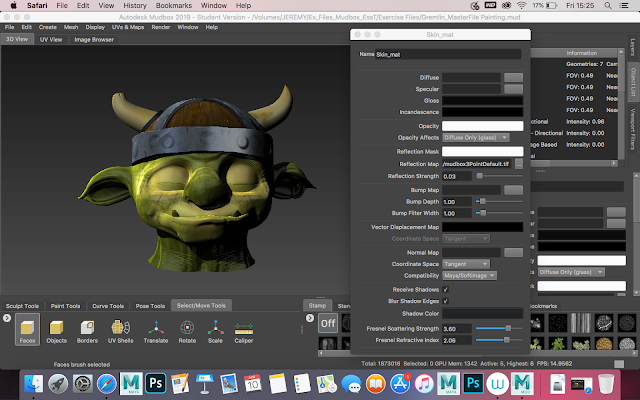
Stamp (Pores and Stencil Texture: Skin) UV in 3D Space  2D Texture  2D Texture on 3D Model  Helmet (Texture Added) Full Shot Base Colour Ambient Occlusion Added Light Tones Added Texture Added  Overlay Added Colour Just and Opacity Lowered Helmet Projection Texture Helmet  Adjust Colour (Burn, Contrast and Sponge) Horns (Cracks Added) Joint Added  and Moved Double Joint Added After this round of MudBox tutorials, I am running into some issues regarding continuously building on the Gremlin model and the full range of what my laptop can handle with this software. Overall I am finding the tutorials themselves relatively straightforward and easy, although I am struggling with some of the texture applications and I think that especially now, the model is starting to look a bit messy and strange, because of some of the liberties I have had to take in order to co...

MudBox: Working With Paint Layers - Hard Surface Sculpting

Image
Neutral Pen Test Pressure Test Brush Size Test Brush Radius Lower (Both Radius and Size) Inverse Smooth Hot Key Mirroring Steady Stroke Test Freeze Experiment Waxing (Early) Base Waxing Finished Minor Improvements Added Foamy Added Enhanced Features / Wrinkles  Knife Texture Added Scarring Features Asymmetrical Features Helmet Textured Managed to complete a few more Mudbox tutorials, with this time looking at applying some more skills onto an already completed base model, and from what I have applied onto the Gremlin, I am happy with how I have finished the model so far, although i do think it needs some improvements, I am happy with how I imaged to accentuate the features on the face and show of muscle definition to make it look more realistic. I think I am getting the hang of this so far and especially after these few tutorials I feel a bit more confident using...

MudBox: Introduction - Layers: Working with Sculpt Layers

Image
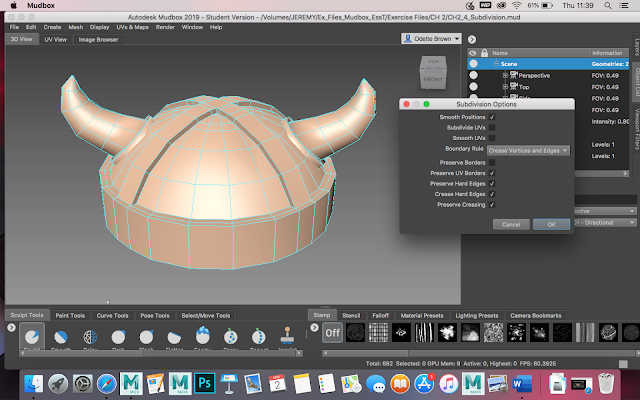
Original Un-tick Creases and Hard Edges on Subdivision Options  Hot-key (Shift D) on Helmet only  (Shift D) on Both  Turn off Everything on Subdivision Options (Accept Preserve UV border and Smooth Position) Working With Sculpt Layers: Locked Layers Layer Edit: New Layer and Layer Number Edit  Editing on Two Separate Layers I have started on the Linkdn Learning tutorials for Mudbox and so far I think its going well, although I am struggling to adjust to the software (despite the fact I have my hotkeys set to Maya preferences). I think I am getting the hang of at this point, the layers and the number association with the editing of the model, however I am on a laptop, so cannot switch between the layers as easily, so am having to do it manually on the options, but apart from that I think I am getting a good grip on how to use some of the features at this point.  I know I will have to do a bit of investigation beca...